

While some charge consultants for displaying the calendar to the clients, others just have a basic set up in the name of a calendar. We, on the other hand, have kept it different.
VirtUp will not charge you to make your calendar visible to your clients. Set availability using VirtUp’s free calendar and make it visible to all your clients and colleagues.
The good news is – It’s absolutely free.
We have a broad format – the reason?
We believe in a proper work-life balance, and we believe consultants, too, deserve to have it.
A recent FlexJobs survey in 2022 shows poor work-life balance as the number one reason for quitting consulting jobs by most. Recent polls on various places including LinkedIn also shows impact on work-life balance as the major reason for quitting consulting. The calendar with VirtUp is one of the efforts we are making to improve the consulting schedule flexibility, in turn, to impact the work-life balance schedule and pattern of our consultants.
Our calendar is more vivid and covers distinct aspects of your needs and work-life.
With our calendar, you can set the daily time slots, vacation dates, and booking limits.
You can set the following:
Daily time slots > Vacation dates > Booking limits.
How to Set Availability of Each Type in your Calendar?
You can set availability of each to highlight your specific needs.
1. Set the Daily Time Slots
The daily time slots will highlight the specific time periods within a single day when you are available. It highlights your consulting schedule to the others.
These are the time periods when one can book your appointment. It shows your active hours.
It can be used for the following
- Daily time slots can be used for scheduling appointments, allowing you to select specific time periods for different clients.
- It enables specific users to select specific appointment times.
- You can either repeat the same schedule every day. Or you can also keep it different each day.
Purpose It Helps Meet
You could set availability for that part of each day you want to keep as bookable.
How To Set the Daily Time Slots?
Here’s how you can do it once you have created your profile with us.
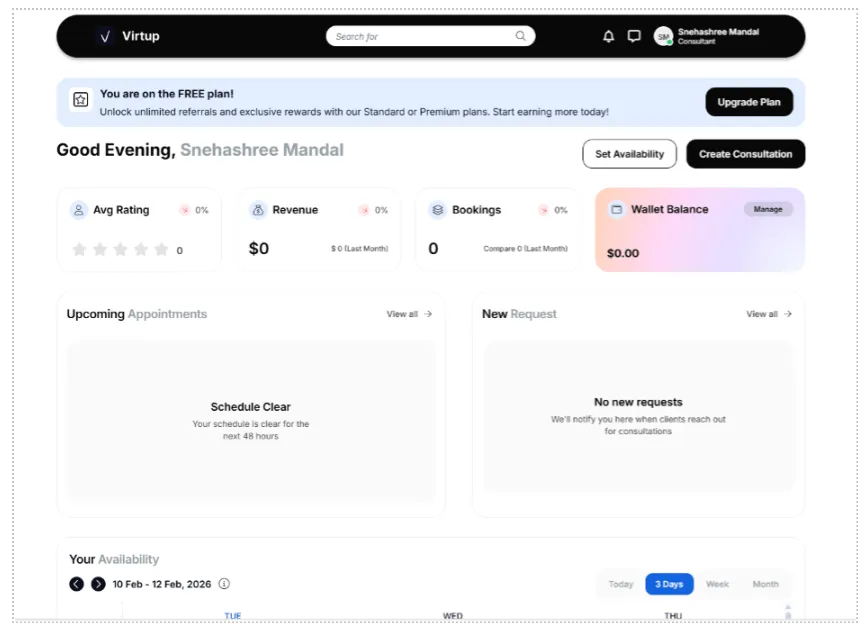
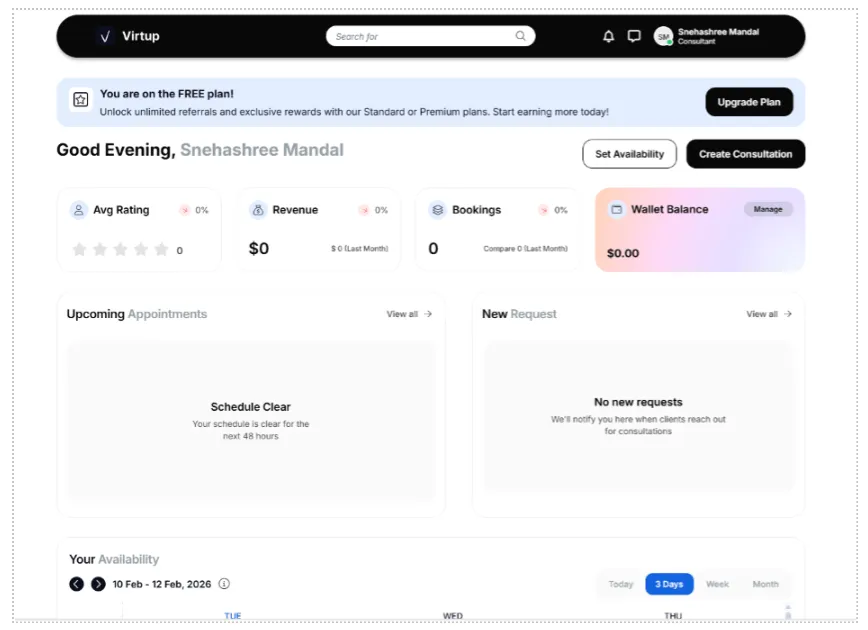
1. From your dashboard, when you have already created your consultation card, click on the tab to its left that reads “Set Availability.”
2. When you reach the page as shown below, you can set your daily time slot for figuring out the consulting schedule.
- Slide the slider beside the days you wish to choose as your active days.
- Add your availability by adding the time in the “From” and “To” segment.
If you want to add more than one period as part of your consultant scheduling, click on the + tab and add more time periods.
For example, you can split your time into three slots and reserve each slot for a single client, if you have a home to manage.
- Add the time slot from “08:00 am” to “09:00 am” in one entry.
- Click on the + button and add, “03:00 pm” to “04:00 pm.”
- Add another if you want by clicking on the Add tab, “10:00 pm” to “11:00 pm.”
Here you can even choose the Time Away by clicking on the +Add button present on the bottom right side.
If you take each session of 2 hours, then you can add a break period here. Let’s say the break period is scheduled for 15 to 20 minutes; you can add that here.
When or How Can You Set the Vacation Days for Your Consulting Schedule?
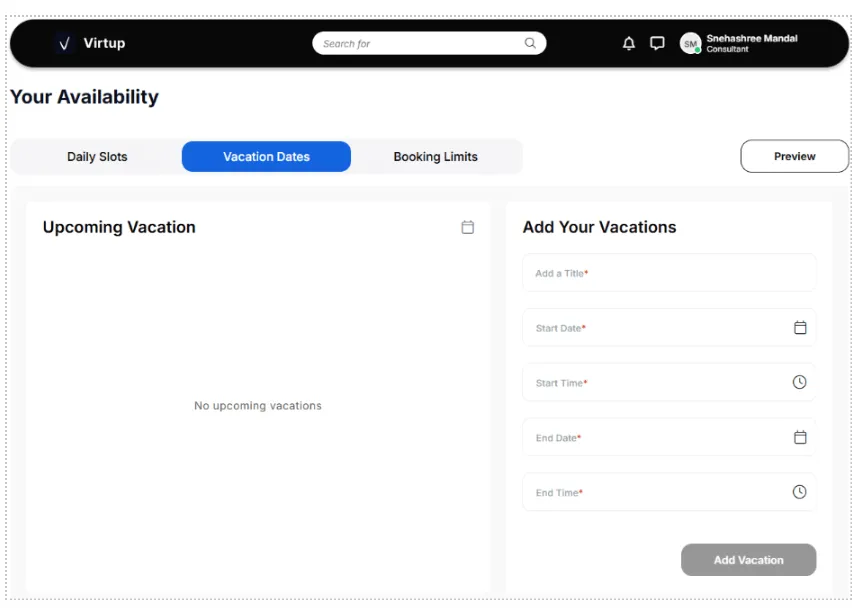
Setting up the vacation days is facilitated to help your clients know of your unavailability during specific periods (longer periods and not breaks).
- Add your vacations – Add a Title, start date, and time, and end date and time.
- Next, click on the Add Vacation tab to ensure your vacation pop-up is visible to your prospects and clients for setting up your consulting schedule.
2.Set the Booking Limits for Consultant Scheduling
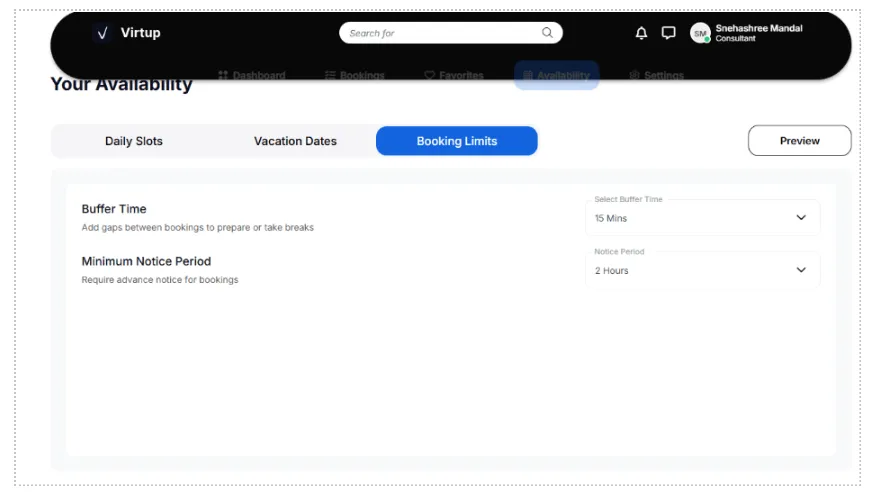
To set the booking limits, here’s what you can do:
- Add the buffer time – gaps between bookings for preparing and taking breaks.
- Incorporate the minimum notice period, if you have any in your consulting schedule.
These are some specifics that will help you remain sorted in the end.
Do you want to find out what awaits you on the other end? Come to VirtUp, become a consultant, and find out your true tryst with your destiny awaiting to prove you as an expert.
FAQs
Why does setting availability help?
Setting your consulting schedule and making it visible worldwide can help improve your work life balance as that way you can reduce the number of queries coming to you even for those days when you’re unavailable.
Also, those pressing you to do their work urgently can look elsewhere to complete the tasks. When you set availability in the right way, not only do you benefit from it, but others benefit from it too.
How do you set your availability on VirtUp?
To set your availability on VirtUp, you will need to follow the steps mentioned above.
What are the three different kinds of availability you can set?
Daily time slots > Vacation dates > Booking limits are the three different kinds of availability details you can set for yourself.
What are they and how do they benefit us?
- Daily time slots will help you display your daily set availability.
- Vacation dates will help you display the time of absence when you’re completely unavailable.
- Booking limits help others understand the number of bookings you are allowed on a daily basis.